
User ID: All users from IWMI, WorldFish, and IRRI can log in to TrioLearn using their CGIAR email address ([username]@cgiar.org) as their default user ID.
Password:
If you are a first time user, you will need to obtain an initial password. To do so, refer to the following instructions.
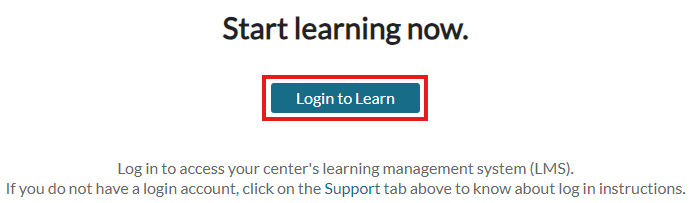
1. Go to the TrioLearn homepage. Then, click “Login to Learn”.
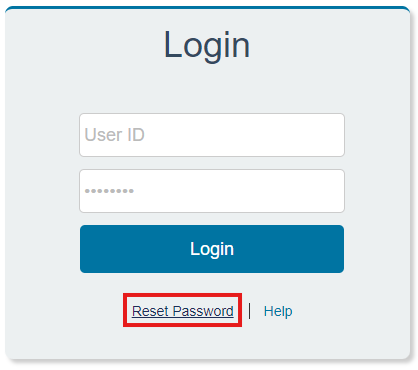
2. Click “Reset Password”.
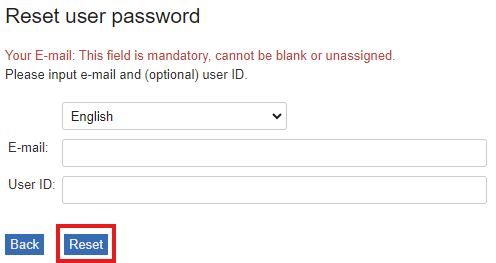
3. You will then be prompted to enter your email address and user ID. Your user ID should be the same as your email address. Once done, click “Reset”.
4. The following prompt message will appear. Simply click “Continue”.

5. Check your inbox (and even your spam and junk folders) to see if you have already received the link to reset your password.

6. You will then be asked to input your new password in the provided fields. Then, click Submit.
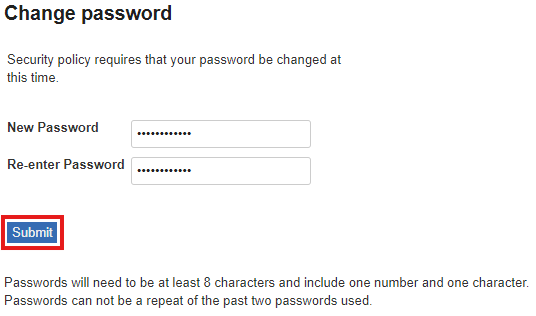
Once done, you will be directed to the login page once again. Input your username and new password, then Login.
Note: If you encounter any issues during the password reset process, please contact your center’s Learning Administrator for assistance. You may refer to the “If I need clarification on TrioLearn/Humentum, who should I contact?” section to find their contact details.